Colourise
Newcomer
- Followers
- 0
- Following
- 0
- Joined
- Jan 9, 2026
- Posts
- 5
- Likes Received
- 1
- Trophy Points
- 3
- Name
- Steve
Could somebody help me with the following observation, please?
I have the rear display set so that it can be switched off, which is the way I normally use the camera.
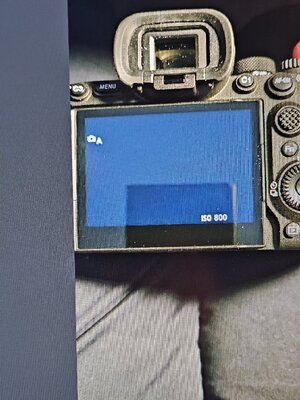
I have noticed that when the camera is switched on, a few icons light up and then very quickly switch off. This is a well as the red light (Access lamp) flashing on and off (which I believe is normal).
Has anybody else noticed this behaviour with the icons and is it normal?
The display and the camera appear to work normally.
I am using Sandisk extreme pro 64gb SD Cards and the lens is a Sony 24-70 f2.8GMII
The icons flashing on and off does not occur every time the camera is switched on (it’s a bit intermittent) whereas the red light always flashes when the camera is switched on.
thanks
I have the rear display set so that it can be switched off, which is the way I normally use the camera.
I have noticed that when the camera is switched on, a few icons light up and then very quickly switch off. This is a well as the red light (Access lamp) flashing on and off (which I believe is normal).
Has anybody else noticed this behaviour with the icons and is it normal?
The display and the camera appear to work normally.
I am using Sandisk extreme pro 64gb SD Cards and the lens is a Sony 24-70 f2.8GMII
The icons flashing on and off does not occur every time the camera is switched on (it’s a bit intermittent) whereas the red light always flashes when the camera is switched on.
thanks