• Skip to main content
  • Skip to header right navigation
  • Skip to site footer
Alpha Shooters Logo

Alpha Shooters

News & Community for Sony Alpha Shooters

  • Blog
  • Forums
  • Deals
  • Cameras
  • Lenses
  • Memory Cards
  • Accessories
  • Reviews
  • Compare

Sony A7C Firmware Update 2.01

You are here: Home / Sony Alpha Mirrorless Cameras / Sony A7C Guides & Resources / Sony A7C Firmware Update 2.01
Last updated: April 18, 2025 / Published: April 16, 2025 by Timothy Mayo - 8 Comments

The latest firmware for the Sony A7C is now version 2.01.

Sony A7C Firmware Update

Firmware v2.01 Benefits & Improvements

  • Allows the camera to display a notification when new software is available
  • WPA and WEP functionalities are no longer supported. You will no longer be able to select WPA or WEP when connecting to Wi-Fi. Please use the more secure WPA2 moving forward
  • Improves the operational stability of the camera

Note: This update is only available for Windows and macOS. A memory card version is not provided.

Firmware Download

You can download the latest firmware from your local Sony support website. The below links will take you to the correct page to download the firmware.

Make sure that you download the correct firmware for your computer (Windows or Mac) and read the installation instructions.

US: Sony Support
UK: Sony Support

For Mac users you also need to install the Sony Camera Driver first otherwise the firmware update will not work.

Make sure your camera battery is fully charged and also use the USB cable supplied with the camera, other cables may not work.

Sony A7C / A7CII / A7CR Forum & Facebook Group

If you are looking for further help and advice on the A7C or would simply like to share your photos and videos, then please head over to our friendly full-frame Forum. If you prefer Facebook then I also run the Sony A7C + A7CII + A7CR Shooters Group.
Check Price & Buyer Reviews: Sony A7C

At: B&H Photo | Amazon

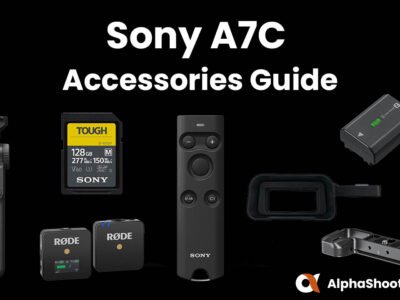
Sony A7C Accessories

Ultimate Sony A7C Accessories Guide

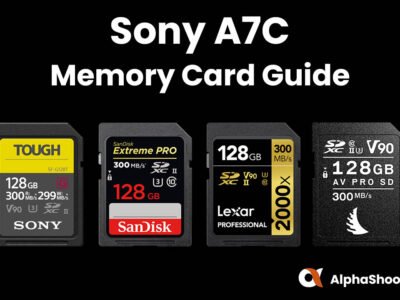
Sony A7C Memory Cards

Sony A7C Memory Card Guide

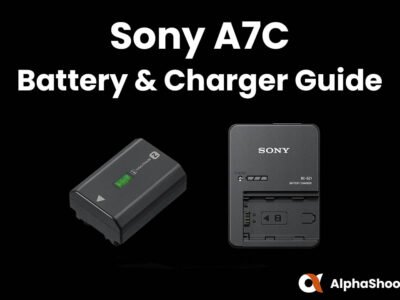
Sony A7C Battery and Charger Guide

Sony A7C Battery and Charger Guide

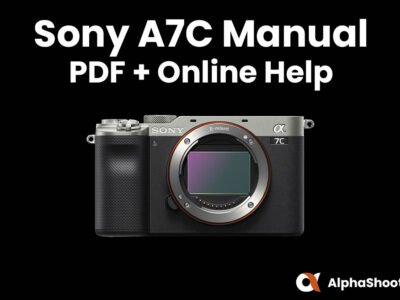
Sony a7C Manual

Sony A7C Manual PDF & Online Help

Sony A7C Firmware Update

Sony A7C Firmware Update 2.01

Previous Firmware Versions

Firmware v2.00

  • Adds the USB Streaming function to allow connection using a USB cable to a PC for live streaming and online communication with high-quality video and audio.Note: When connecting to a device with a USB Type-C port, use a commercially available USB cable or terminal conversion adaptor.
  • Makes the Eye AF feature compatible with animals when recording a movie
  • Improves the operational stability of the camera

Firmware v1.01

Benefits & Improvements

  • Fixes an issue where the information displayed in the viewfinder may not appear in the correct position.

Sony Alpha Forum

About Timothy Mayo

I started Alpha Shooters back in 2017 to share my own experiences as a photographer shooting with Sony Alpha cameras, lenses and accessories.

I enjoy wildlife photography the most but will happily point my camera at pretty much anything.

As well as this blog you’ll also find a community forum which provides members with a friendly and safe place to share images and ask questions.

You can find out more about my story here or follow me on Instagram if you wish.

I also have a YouTube Channel but haven’t published much content recently due to the demands of my two and four year old boys.

Reader Interactions

Comments

  1. Mike

    June 10, 2025 at 5:12 pm

    The update of my A7c to firmware 2.01 failed. I follow every steps as on the sony website, open the system software updater, connect the camera without trying on. Turn on the camera with ensure the USB connected as mass storage mode, click next to the next step (Check the version). At first it shown “Verifying the connection of the camera and computer for update. Please wait… ” After a few mintues, but only find it shown that “Could not update. Complete the following procedures to update again…”

    I followed the steps again, but failed again and again. I am using the USB cable came with the camera.

    Reply
  2. Slim Gosa

    January 2, 2022 at 1:56 pm

    Good day Tim,

    I’m a tad concerned of my A7C original battery depleting higher than normal just from extensively tweaking the camera settings, I even placed it in flight mode. I’l see how many shots I can pull from tomorrows shoot which shall be way to actually gauge performance.

    My worries are that I might need extra batteries just to handle video work alone.

    Reply
  3. Tim W.

    December 8, 2021 at 10:00 pm

    Are there any other updates included? I’d really appreciate having the ability to set the default function of the back wheel or dial to ISO, which would mitigate the ergonomics problem posed by lack of a front dial, when using primes that have an aperture dial on the lens.

    Reply
    • Timothy Mayo

      December 17, 2021 at 6:42 am

      Hey Tim. No other updates that I’m aware of, but you can already customize the rear wheel quite a lot. This section of the online help guide might help you to achieve what you want to do.

      Reply
  4. Ricardo Marcos

    December 7, 2021 at 1:49 pm

    Sony’s A7C Firmware Update 2.00 instructions state: “For Mac users only macOS 10.14, 10.15 and 11 are supported”. What about the last macOS Monterey (version 12.0.1)? Will it work?

    Reply
    • Timothy Mayo

      December 8, 2021 at 6:15 am

      Hi Ricardo. I don’t have this Mac version installed yet to try myself I’m afraid. I’d just try it, you’ll soon find out if it doesn’t work.

      Reply
      • Ricardo Marcos

        December 10, 2021 at 10:18 pm

        I did and it worked.

      • Timothy Mayo

        December 17, 2021 at 6:37 am

        Great! ๐Ÿ™‚

Leave a Reply Cancel reply

Your email address will not be published. Required fields are marked *

Sidebar

Disclosure: As an Amazon Associate I earn from qualifying purchases made through links on this site. I may also earn from links to other online retailers at no extra cost to you.

Site Supporter

If you’d like to support this site you can easily do so by becoming a Site Supporter in our Community Forums and unlocking the following benefits:

โœ“ No Adverts in the Forums
โœ“ Sell Items in the Marketplace
โœ“ Unlimited Gallery Uploads
โœ“ Higher Resolution Gallery Uploads
โœ“ Forum Profile Signature
โœ“ Custom Profile Cover Photo
โœ“ Advertise Your Photography Workshops

VISIT FORUMS

Latest Articles

Sony A1 II Firmware Update

Sony A1 II Firmware Update v4.00

Sony A9III Firmware Update v2.00

Sony A9 III Firmware Update v4.00

Tamron 25-200mm F2.8-5.6 Di III VXD G2 Lens

Tamron 25-200mm F2.8-5.6 Di III VXD G2 Lens Announced

Sony FE 100mm F2.8 Macro GM Lens

Sony FE 100mm F2.8 Macro GM Lens Announced – Up to 2.8x Magnification!

Featured Articles

Sony A7IV Memory Card Guide

Tested in Camera: The Best Sony A7 IV Memory Cards

Sony A1 Memory Card Guide

Tested in Camera: The Best Sony A1 Memory Cards

Sony FE 200-600mm F5.6-6.3 G vs FE 100-400 F4.5-5.6 GM Comparison

Sony 200-600 G vs 100-400 GM Review & Comparison

Sony 100-400 VS 70-200 F2.8 GM II With 2x Teleconverter at 400mm

Sony 100-400 VS 70-200 F2.8 GM II With 2x Teleconverter at 400mm

Site Supporter Membership Upgrade

If you’d like to support this site you can easily do so by becoming a Site Supporter over on our Community Forum and unlocking the following benefits:

โœ“ No Adverts in the Forums
โœ“ Sell Items in the Marketplace
โœ“ Forum Profile Signature
โœ“ Custom Profile URL
โœ“ Profile Cover Photo

Join today!

Memory Card Guides

  • A1
  • A9 III
  • A9
  • A7R V
  • A7R IV
  • A7 IV
  • A7 III
  • A7S III
  • A7C
  • A7C II
  • A7C R
  • A6700
  • A6400
  • A6000

Accessory Guides

  • A1
  • A9 III
  • A9 II
  • A9
  • A7R V
  • A7R IV
  • A7R III
  • A7 IV
  • A7 III
  • A7C
  • A7C II
  • A7C R
  • A6700
  • A6600
  • A6400
  • A6100
  • A6000

Lens Guides

  • Full-Frame FE
  • APS-C
  • Macro
  • Telephoto Zoom
  • Telephoto Prime
  • Wildlife
  • A1
  • A9 III
  • A7R V
  • A7R IV
  • A7R III
  • A7 IV
  • A7 III
  • A7C II
  • A7C R
  • A6700
  • A6600
  • A6400
  • A6000
Visit Our Facebook Groups
Alpha Shooters Text Logo
  • Facebook
  • Instagram
  • YouTube

Return To Top

If you shoot with the Canon R Series then our sister site RF Shooters might interest you.

Copyright © 2025 Alpha Shooters. All Rights Reserved. Content and images may not be used without permission.
Disclaimer: Alpha Shooters is an independently run website and is not affiliated with Sony.com
As an Amazon Associate I earn from qualifying purchases.
Terms ยท Privacy ยท Cookies ยท Contact ยท About